How to Fix Adsense Invalid Phone Number? Correct your AdSense phone number by logging into your account and navigating to the “Account Information” section. Update your phone number and save changes.
AdSense is a crucial tool for monetizing websites through advertisements. Accurate account information, including your phone number, ensures seamless communication and verification. An invalid phone number can lead to issues with account verification and payments. Updating your phone number is a simple process.
Start by logging into your AdSense account. Navigate to the “Account Information” section to find your current phone number. Edit the number to ensure it is correct and save the changes. This straightforward step will help maintain the integrity of your AdSense account and avoid any potential disruptions in your ad revenue.

Credit: support.google.com
Common Causes
Fixing an Adsense invalid phone number can be easy. First, understand the common causes. These issues often stem from simple mistakes.
Typographical Errors
Typographical errors are a common issue. Double-check your phone number for mistakes. Missed digits or wrong numbers can cause errors.
- Check each digit carefully.
- Use a format like +1 234-567-8901.
- Ensure no extra spaces or characters.
Unsupported Country Codes
Adsense supports specific country codes. Using an unsupported code can cause issues. Verify your country code is correct.
| Country | Code |
|---|---|
| United States | +1 |
| United Kingdom | +44 |
| India | +91 |
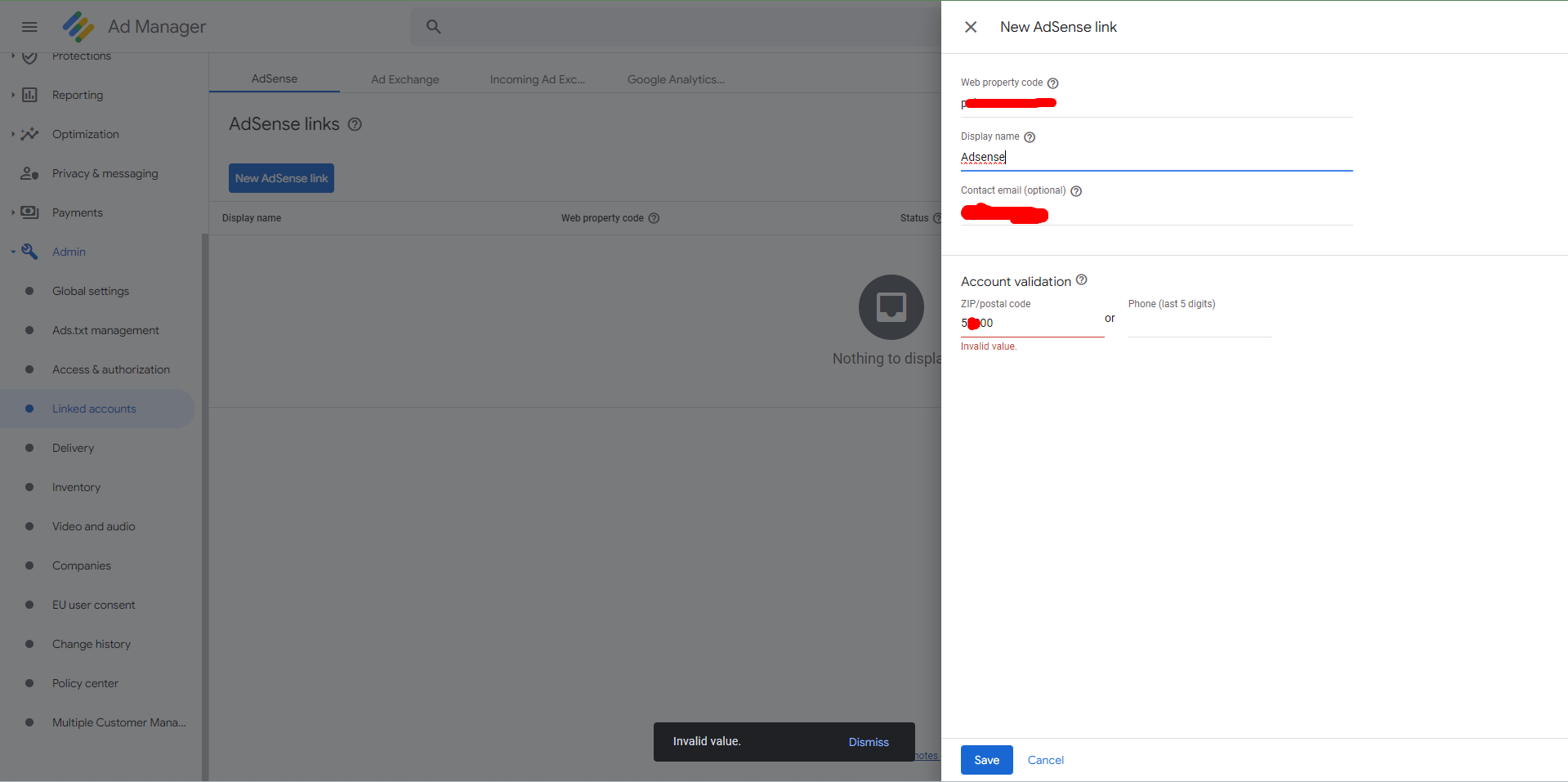
Check the Adsense support page for a full list. This ensures your phone number will be valid.
Credit: support.google.com
Verification Process
The verification process for fixing an Adsense invalid phone number is crucial. It ensures that your account information is accurate and up-to-date. Follow these steps to verify and correct your phone number in Adsense.
Step-by-step Guide
- Log in to your Google Adsense account.
- Navigate to the Account Settings section.
- Click on Personal Information.
- Find the Phone Number field and click Edit.
- Enter your correct phone number.
- Click Save and wait for a verification code.
- Enter the verification code sent to your phone.
- Click Verify to complete the process.
Required Documentation
To successfully verify your phone number, you may need certain documents. Ensure you have the following ready:
- Government-issued ID with your name and address.
- Recent utility bill showing your address.
- Your phone bill if required.
| Document | Purpose |
|---|---|
| Government-issued ID | Verify identity |
| Utility Bill | Confirm address |
| Phone Bill | Verify phone number |
Following this guide ensures your phone number verification is successful. It helps maintain the integrity of your Google Adsense account.
Troubleshooting Tips
Facing issues with an AdSense invalid phone number can be frustrating. These troubleshooting tips can help resolve the issue quickly. Follow these steps to ensure your phone number is verified correctly.
Clearing Cache
Sometimes, the browser cache can cause problems with AdSense. Clearing the cache can help.
- Open your browser settings.
- Find the option to clear browsing data.
- Select the cache and cookies options.
- Click on Clear Data.
After clearing the cache, try entering your phone number again. This simple step can resolve many issues.
Using Different Browsers
Different browsers handle web pages in unique ways. Trying another browser can help.
- Open a different browser (Chrome, Firefox, Edge).
- Log in to your AdSense account.
- Navigate to the phone number verification section.
- Enter your phone number and try again.
Using a different browser can bypass browser-specific issues. If this works, you can continue using the new browser for AdSense.

Credit: m.youtube.com
Support Options
Having trouble with an invalid phone number on your Adsense account? There are several support options available to help you resolve this issue. Below, we explore the best ways to get assistance.
Contacting Adsense Support
Google Adsense provides direct support to its users. Follow these steps to contact Adsense Support:
- Log in to your Adsense account.
- Navigate to the Help section.
- Click on Contact Us.
- Select Account Issues.
- Choose Phone Number Verification from the list.
- Fill out the contact form with your details.
Ensure you provide accurate information. This helps the support team resolve your issue quickly.
Community Forums
Another great resource is the Adsense Community Forums. Here, you can find help from other Adsense users and experts. Follow these steps to use the forums:
- Go to the Adsense Community Forums.
- Search for invalid phone number issues.
- Browse through the discussions and solutions provided.
- If you don’t find a solution, create a new post.
- Provide detailed information about your issue.
The community is active and helpful. Often, you get quick responses from experienced users.
Below is a table summarizing the support options:
| Support Option | Steps | Benefits |
|---|---|---|
| Contacting Adsense Support |
|
Direct assistance from Google |
| Community Forums |
|
Quick responses from the community |
By using these support options, you can quickly fix the invalid phone number issue in your Adsense account.
Frequently Asked Questions
Why Is My Phone Number Verification Not Working On Adsense?
Your phone number verification on AdSense may fail due to incorrect number entry, network issues, or unsupported carriers. Ensure your number is correct and try again.
Why Is It Showing an Invalid Phone Number?
An invalid phone number error usually occurs due to incorrect format, missing digits, or unsupported country codes. Ensure the number follows the correct format and includes the country code. Double-check for any typos or missing digits to resolve the issue.
How To Verify Adsense Account With Phone Number?
To verify your AdSense account with a phone number, log in to AdSense. Go to “Payments,” then “Settings. ” Click “Verify Now. ” Enter your phone number and request a verification code. Enter the received code to complete verification.
Conclusion
Fixing the Adsense invalid phone number issue is simpler than you might think. Follow the steps outlined, ensure your information is accurate, and double-check for typos. This will help you regain access to your Adsense account quickly. Stay vigilant to avoid future errors and keep your account in good standing.