What are Key Features of Policy-Based Vpn Gateways in Azure? Policy-based VPN Gateways in Azure use static routing to define VPN connections. They are ideal for simple and specific traffic routing needs.
Azure Policy-Based VPN Gateways offer a streamlined approach to managing VPN connections. Unlike their route-based counterparts, these gateways use static routing configurations, which means the VPN tunnels are established based on predefined policies. This ensures that specific traffic types follow designated routes, providing a straightforward and predictable networking setup.
Ideal for scenarios where complex routing is not required, these gateways can be quickly set up and managed, making them suitable for smaller or less dynamic network environments. Their simplicity and reliability make them a popular choice for organizations looking to maintain control over their network traffic with minimal overhead.
Policy-based Vpn Gateways
Policy-Based VPN Gateways in Azure offer secure connections between your on-premises network and Azure. These gateways use specific rules or policies to manage data flow. This ensures that traffic meets certain criteria before it is allowed through.
Concept
Policy-based VPN Gateways rely on policy rules, which define how traffic should flow between networks. Each rule contains a source address, destination address, and protocol type.
Traffic must match a policy rule to pass through the gateway. This method ensures that only authorized traffic can access your network and helps maintain network security.
Benefits
Policy-based VPN Gateways provide several key benefits:
- Enhanced Security: Policies ensure only specific traffic types are allowed.
- Control: Administrators can set detailed rules for traffic management.
- Compliance: Helps meet compliance requirements by controlling data flow.
| Feature | Benefit |
|---|---|
| Policy Rules | Ensures only authorized traffic is allowed |
| Source and Destination Control | Provides granular control over network traffic |
| Protocol Specification | Allows specific protocols to be used for communication |
Policy-Based VPN Gateways in Azure are essential for secure and controlled network connections. They offer a powerful way to manage traffic and ensure compliance.
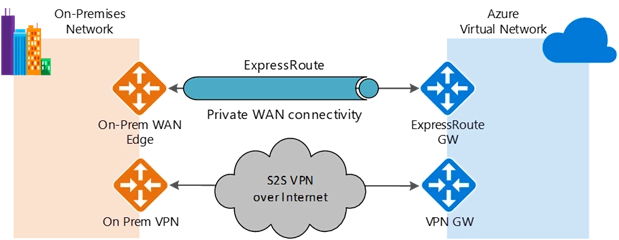
Credit: azure.microsoft.com
Configuration Steps
Configuring a Policy-Based VPN Gateway in Azure involves several steps, which ensure a secure and efficient connection. Below are detailed steps for this configuration.
Initial Setup
Begin by creating a resource group in the Azure portal. Follow these steps:
- Navigate to Resource Groups in the Azure portal.
- Click on + Add to create a new resource group.
- Enter a unique name and select a region for the group.
- Click Review + Create and then Create.
Next, create a virtual network (VNet) within this resource group:
- Go to Create a Resource and select Virtual Network.
- Provide a name, address space, and subnet details.
- Choose the newly created resource group.
- Click Review + Create and then Create.
Policy Implementation
Implement the VPN policy by following these steps:
- Create a VPN gateway in the VNet:
- Select Create a Resource and then Virtual Network Gateway.
- Fill in the necessary details, including the gateway type as VPN.
- Select the VPN type as Policy-based and provide a public IP address.
- Click Review + Create and then Create.
- Configure the local network gateway:
- Select Create a resource and search for Local network gateway.
- Enter the name and IP address of the on-premises VPN device.
- Specify the address space representing your on-premises network.
- Click Review + Create and then Create.
- Create the VPN connection:
- Navigate to the VPN gateway you created.
- Select Connections and then + Add.
- Provide a name and select the local network gateway.
- Enter the shared key for the connection.
- Click OK to create the connection.
Once configured, validate the connection status in the Azure portal.
Security Features
Policy-Based VPN Gateways in Azure offer robust security features. These features ensure data protection and secure access. Let’s explore the key security aspects.
Encryption
Encryption is essential for secure data transmission. Azure Policy-Based VPN Gateways use strong encryption protocols, including AES-256, which is very secure.
Encryption ensures that data remains private. Only authorized users can access the data, preventing unauthorized access and data breaches.
| Encryption Protocol | Strength |
|---|---|
| AES-256 | High |
| DES | Low |
Access Control
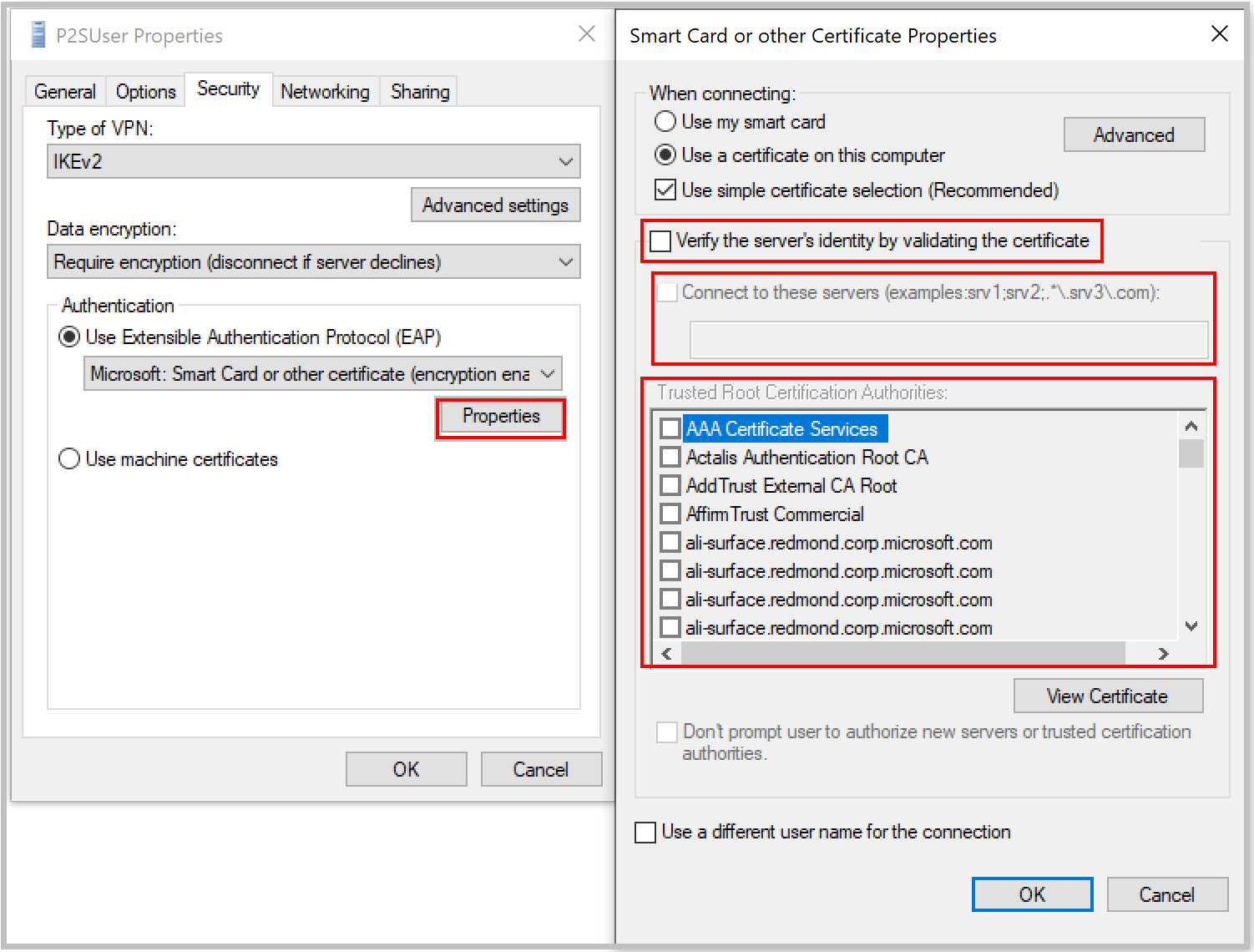
Access control ensures that only authorized users can connect. Azure VPN Gateways support strong access control mechanisms.
These mechanisms include IP whitelisting and user authentication. IP whitelisting allows only specific IP addresses to connect.
- IP Whitelisting
- User Authentication
- Role-Based Access Control
Role-based access Control (RBAC) assigns permissions based on roles, adding another layer of security. Users get only the permissions they need.
Credit: learn.microsoft.com
Performance Optimization
Performance optimization is crucial for policy-based VPN gateways in Azure. It ensures that your applications run smoothly and efficiently. Let’s dive into how bandwidth management and latency reduction play a role in performance optimization.
Bandwidth Management
Bandwidth management helps allocate network resources effectively, preventing congestion and ensuring smooth data flow. In an Azure environment, managing bandwidth is essential for maintaining high performance.
- Dynamic Bandwidth Allocation: Adjusts bandwidth based on real-time needs.
- Traffic Shaping: Controls the flow of network traffic to reduce bottlenecks.
- Prioritization: Ensures critical applications get the bandwidth they need.
| Feature | Benefit |
|---|---|
| Dynamic Bandwidth Allocation | Improves resource utilization |
| Traffic Shaping | Reduces network congestion |
| Prioritization | Ensures critical tasks are uninterrupted |
Latency Reduction
Reducing latency is vital for improving user experience. Low latency ensures faster response times and better performance.
- Optimized Routing: Chooses the shortest path for data packets.
- Edge Computing: Processes data closer to the source, reducing delays.
- Load Balancing: Distributes network traffic evenly to avoid delays.
These features work together to minimize delays and enhance overall performance. Optimized routing and edge computing are key to low-latency environments.

Credit: www.sqltattoo.com
Frequently Asked Questions
What Is A Policy-based Vpn In Azure?
A policy-based VPN in Azure uses static routing and IPsec tunnels. It secures network traffic based on defined policies and is ideal for simple and specific configurations.
What Is The Difference Between a Route-Based Vpn Gateway And a Policy-Based Vpn Gateway?
Route-based VPN uses routes in the IP routing table to determine traffic encryption, while policy-based VPN uses policies to specify traffic to encrypt.
Which Of The Following Is A Function Of An Azure Vpn Gateway?
An Azure VPN gateway provides secure cross-premises connectivity. It connects on-premises networks to Azure via site-to-site VPNs.
What Are The Functions Of Vpn Gateway?
A VPN gateway securely connects different networks over the Internet. It encrypts data, ensuring privacy and protection. It supports remote access and site-to-site connections and manages network traffic efficiently. It enhances security by authenticating users and devices. It also allows seamless communication between multiple network environments.
Conclusion
Azure’s policy-based VPN gateways offer robust security, scalability, and flexibility. They ensure seamless connectivity and efficient traffic management. Implementing these features helps safeguard data and optimize network performance. With their advanced capabilities, businesses can confidently secure their cloud environments and enhance operational efficiency.
Choose Azure’s policy-based VPN gateways for a reliable and secure network solution.